Sealed Enclosures
OK, let’s play with a sealed sub here.
Will will use one driver in Half Space (Ang=2.00), and 2V as the Re is 4ohm. This gives us 1W. Since we are after a sealed sub we want the Nd option. Zero everything else out.
Input the parameters as I outlined up top, and you should get this.
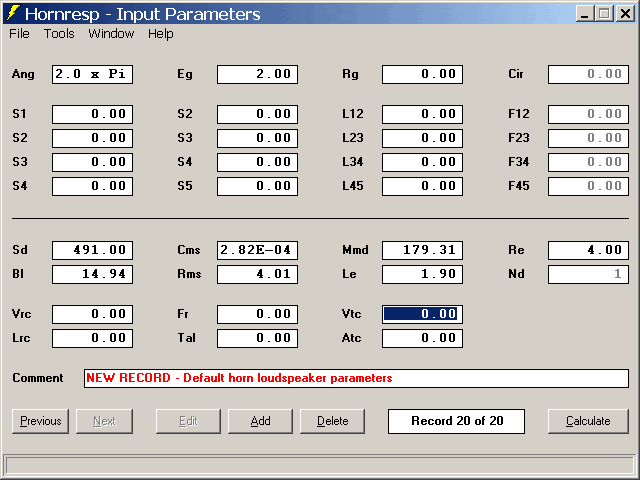
Now we need to enter the enclosure. If you know the enclosure size you want already just enter the volume into Vrc, and depth into Lrc. That’s it, hit Calculate, and you are done. If you aren’t sure exactly what you want go into the Tools tab, and start the Loudspeaker Wizard.
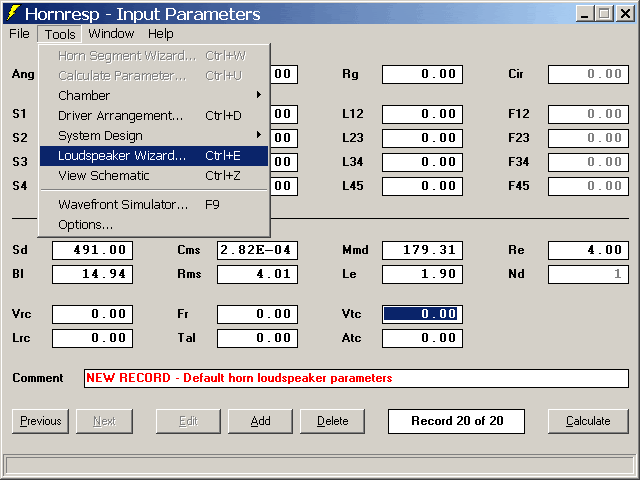
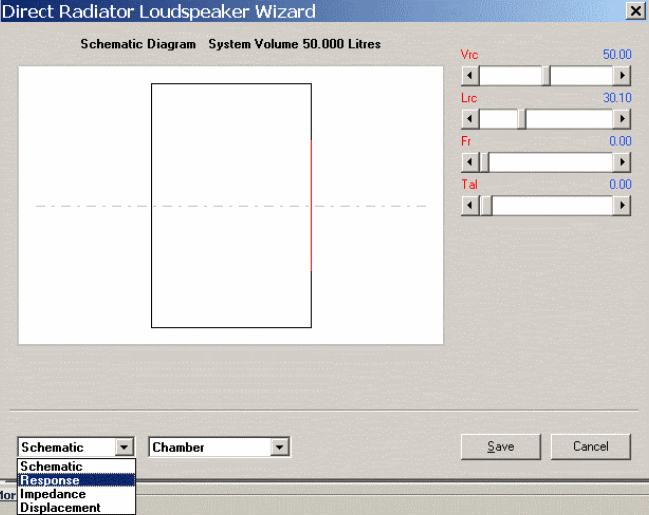
It will open up a new window.
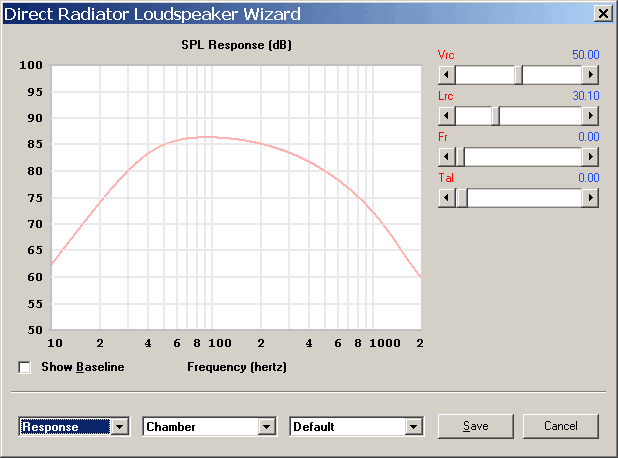
Just use the Vrc and Lrc sliders to quickly get a rear chamber, and the switch over to the Response view with the drop down box at the bottom left. As you can see there are several other helpful graphs there as well.
Now you can tweak the enclosure with the sliders some more while observing the FR. 
If you change the drop down to the right to Other, you can change the input voltage. Switch the graph to Displacement to check over excursion.
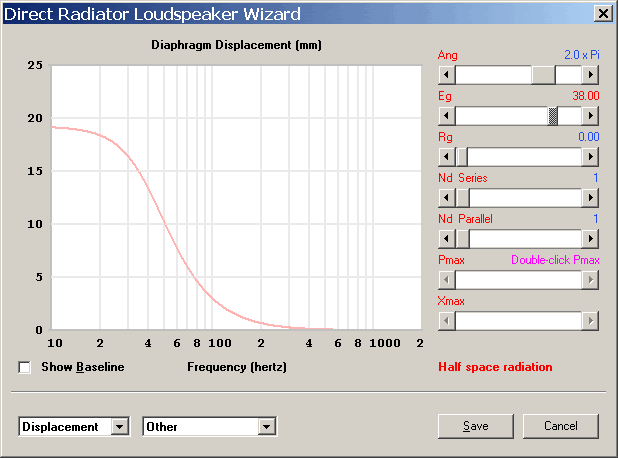
Don’t let the Series Parallel sliders throw you. It says that there is one driver in series with itself, and one driver paralleled to itself. Two driver in series would be 2S-1P, Four driver in Series/Parallel would be 2S-2P.